Custom UI for the Android Barcode Scanner Module with Jetpack Compose
Overview
The Scanbot SDK now supports a customizable Barcode Scanner composable that you can use to build your own Barcode Scanner screen using Jetpack Compose. It provides a UI for barcode scanning with guidance overlays and a camera preview.
The BarcodeScannerCustomUI provides fully customizable camera controls and features with encapsulated scanning logic.
Adding the feature as a dependency
implementation("io.scanbot:sdk-barcode-assets:$latestSdkVersion")
implementation("io.scanbot:rtu-ui-v2-barcode:$latestSdkVersion") // To use compose components
Integration
BarcodeScannerCustomUIprovides fully customizable camera controls and features with encapsulated scanning logic.
Take a look at the barcode-scanner example app to see how to integrate the scanner and the compose-example to see how to build a custom UI using the compose components.
To implement the Barcode Scanner using composables, you need to create a composable layout with BarcodeScannerCustomUI:
loading...
To control the scanning process and camera params, use mutable states and pass them to the BarcodeScannerCustomUI composable:
loading...
Additionally, you can customize the finder overlay by passing your FinderOverlayConfiguration to the finderConfiguration parameter of the BarcodeScannerCustomUI composable:
loading...
Custom UI scanning modes
The following use cases have been compiled into a dedicated example app. Too see the complete source code of the code snippets provided here, check out the example app on GitHub.
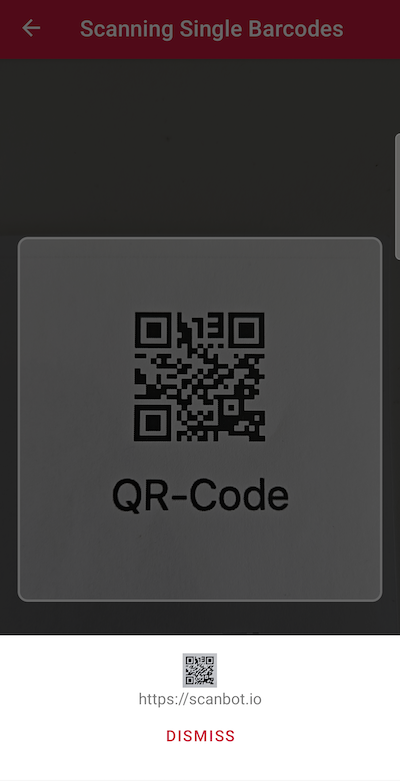
Scanning a single barcode
The Scanbot Barcode Scanner SDK is quick and easy to integrate by design. Even in its default configuration, the Scanbot SDK scans barcodes rapidly and reliably in challenging conditions. Notably, all scanning operations are performed offline on the device itself, which ensures high speed and maximum data privacy.
loading...
Still, there are specific use cases where tweaking the configuration can significantly improve the user experience and scanning performance, such as scanning multiple barcodes at once or scanning tiny or distant barcodes.
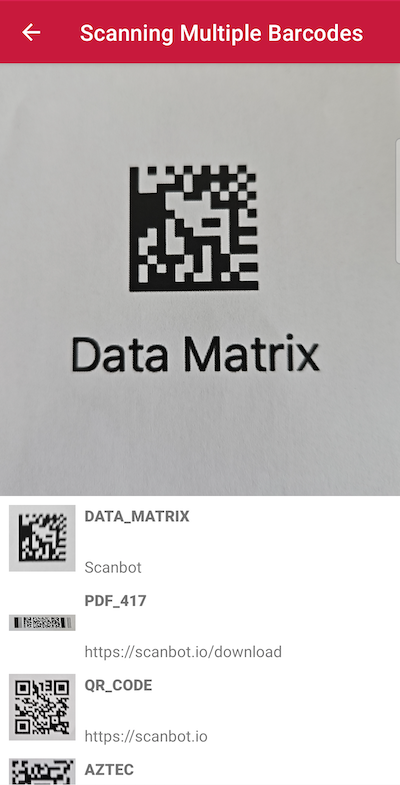
Scanning multiple barcodes
If you need to scan multiple barcodes simultaneously, you can configure the SDK to detect and extract all barcodes visible in the live view. This functionality can be complemented with an AR Overlay for visually highlighting the barcodes in view.
loading...
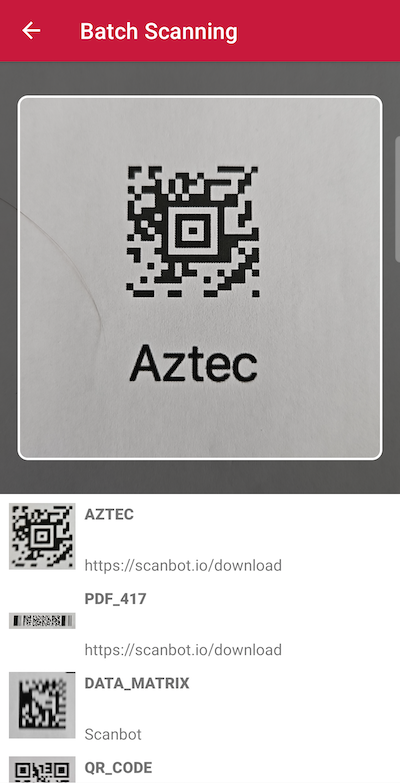
Batch scanning
Batch scanning, like multi-barcode scanning, allows users to scan multiple unique barcodes within a single session. A viewfinder added to the live view helps users target only the desired codes, improving their scan experience and control.
loading...
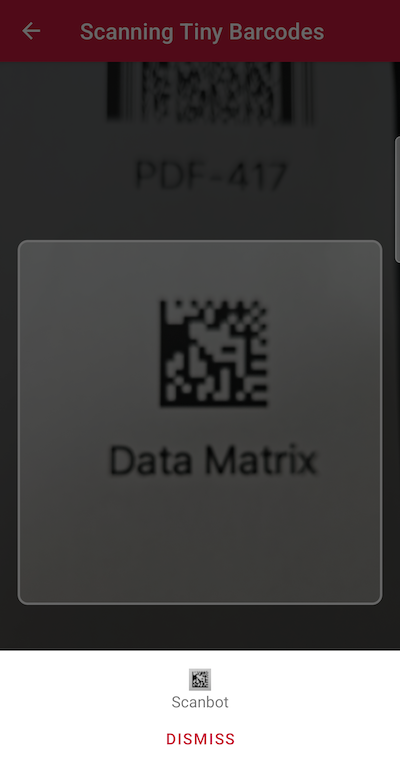
Scanning tiny barcodes
Are you dealing with very small barcodes like those typically found on electrical components? In this case, you can explicitly set a short focus distance for the camera. This adjustment allows the device to be moved very close to the small barcodes without losing focus. This improves the sharpness of the image and the scanning performance.
loading...
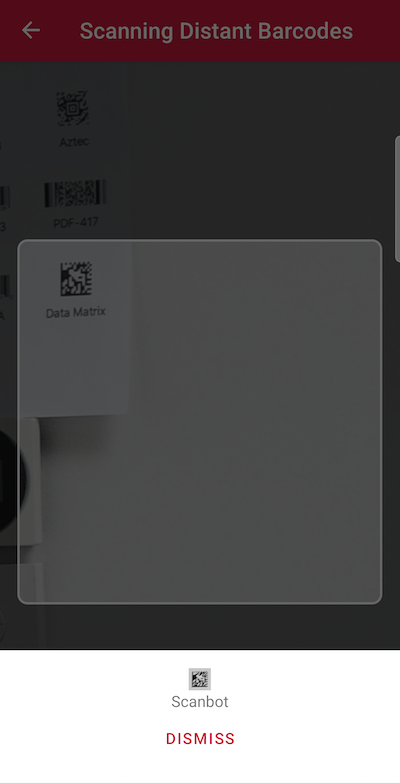
Scanning distant barcodes
In scenarios where barcodes are positioned in hard-to-reach locations, you can significantly improve the scanning experience by using the camera’s optical zoom functionality. The Scanbot SDK allows you to enable and control both the optical and digital zoom. This ensures a suitable image crop for distant barcodes.
loading...
Want to scan longer than one minute?
Generate a free trial license to test the Scanbot SDK thoroughly.
Get free trial licenseScanbot SDK is part of the Apryse SDK product family
A mobile scan is just the start. With Apryse SDKs, you can expand mobile workflows into full cross‑platform document processing. Whether you need to edit PDFs, add secure digital signatures, or use a fast, customizable document viewer and editor, Apryse gives you the tools to build powerful features quickly.
Learn more
