Android VIN Scanner Module
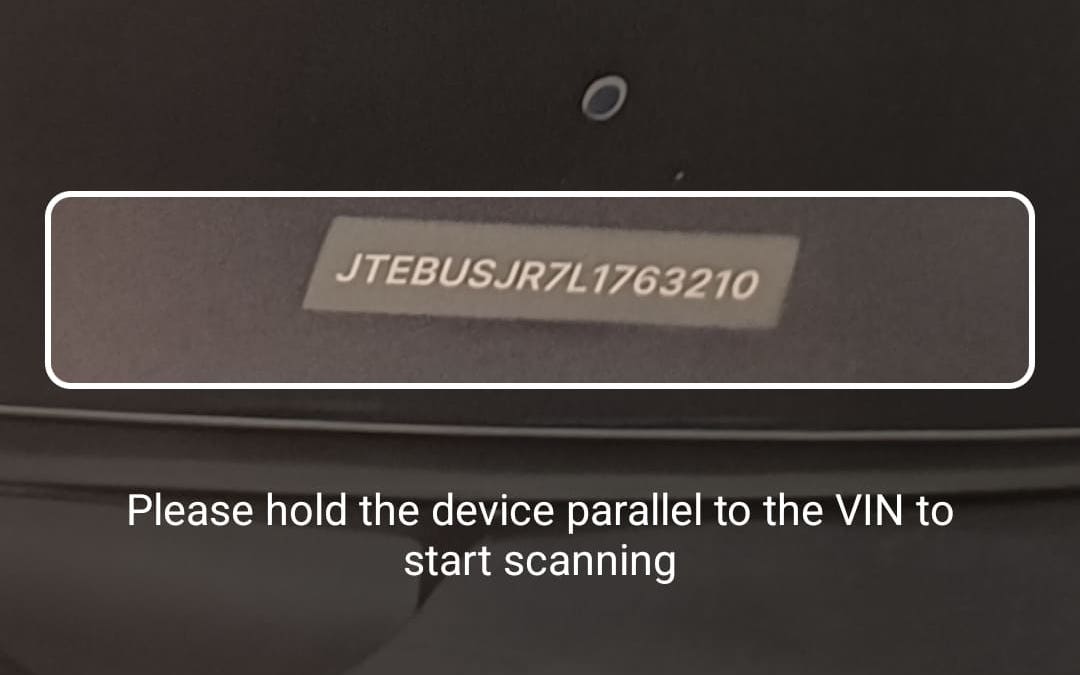
Overview
Vehicle Identification Number (VIN) scanning is a powerful feature designed to detect, read, and extract data from VINs, whether they are printed as text or encoded in barcodes. The VIN contains standardized alphanumeric information, such as manufacturer details, vehicle attributes, and unique identifiers, enabling quick and reliable machine reading.
The Vehicle Identification Number Scanner is designed to read both VIN strings and VIN barcodes. It scans the text using OCR within a user-defined rectangular area of interest, in consecutive video frames, or decodes barcodes containing VIN information. A customizable closure lets you clean up the raw string by filtering it against unwanted characters and OCR noise.
By leveraging advanced detection and recognition algorithms, VIN scanning ensures accurate data extraction even under challenging conditions, such as poor lighting, tilted surfaces, or partially visible VINs. The extracted data is provided in a structured format, enabling seamless integration into applications for further processing or verification.
VIN scanning is widely used across industries such as automotive, insurance, and logistics, where automated and reliable data extraction enhances efficiency, reduces manual errors, and improves user experience.
Integration
There are two ways to integrate the UI components into your application:
Take a look at our example apps to see how to integrate the VIN Scanner:
Adding the feature as a dependency
VinScanner is included in Scanbot SDK package 2. Therefore, add the dependency io.scanbot:sdk-package-2 or higher in your build.gradle along with the necessary assets:
implementation("io.scanbot:sdk-package-2:$latestSdkVersion")
implementation("io.scanbot:sdk-textpattern-assets:$latestSdkVersion")
Initializing the SDK
The Scanbot SDK must be initialized before use. Add the following code snippet to your Application class:
loading...
Do not use multiple scanners (e.g., MRZ Scanner and Credit Card Scanner) at the same time.
Each scanner instance requires a lot of memory, GPU, and processor resources. Using multiple scanners will lead to performance issues for the entire application.
Want to scan longer than one minute?
Generate a free trial license to test the Scanbot SDK thoroughly.
Get free trial licenseScanbot SDK is part of the Apryse SDK product family
A mobile scan is just the start. With Apryse SDKs, you can expand mobile workflows into full cross‑platform document processing. Whether you need to edit PDFs, add secure digital signatures, or use a fast, customizable document viewer and editor, Apryse gives you the tools to build powerful features quickly.
Learn more
