Counting scanned barcodes on iOS
Overview
By default, the Barcode Scanner SDK's Multi Scanning mode counts each scanned barcode and creates a results sheet with entries for each unique barcode value.
The bottom sheet that displays previews of the scanned barcodes provides two modes: collapsedSheet and button. In collapsedSheet mode, the bottom sheet is visible and collapsed and can be expanded by dragging it up. In addition, the button can show the overall barcode count.
Multiple scanning also comes with the option to configure the counting mode: The counting mode can either be counting or unique. In counting mode, the scanner
scans barcodes with the same value again and counts the number of items. In unique mode, the scanner only scans the barcodes with unique values.
If another barcode has the same value, it won't scan again.
Additionally, the countingRepeatDelay can be used to set the time interval in milliseconds that must pass before counting a barcode again.
- Portrait
- Landscape
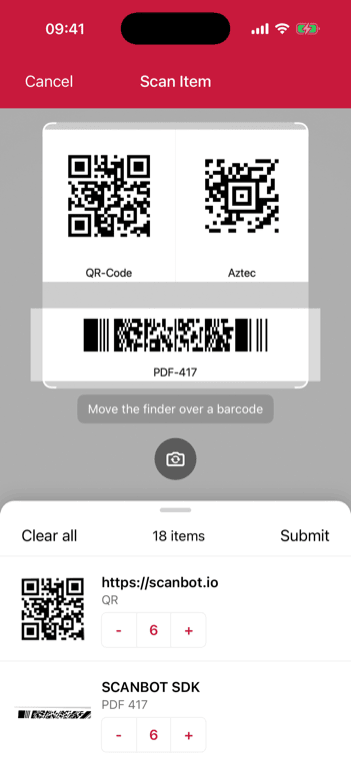
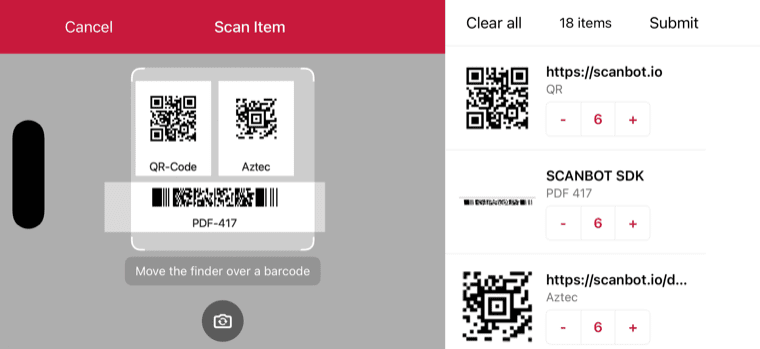
Example configuration of Scan & Count
- UIKit
- SwiftUI
loading...
loading...
Want to scan longer than one minute?
Generate a free trial license to test the Scanbot SDK thoroughly.
Get free trial licenseScanbot SDK is part of the Apryse SDK product family
A mobile scan is just the start. With Apryse SDKs, you can expand mobile workflows into full cross‑platform document processing. Whether you need to edit PDFs, add secure digital signatures, or use a fast, customizable document viewer and editor, Apryse gives you the tools to build powerful features quickly.
Learn more
