RTU UI Acknowledge Screen
Overview
After you snap a page, you can choose whether to show the Acknowledge Screen to your users. This screen helps ensure that only high-quality images are kept in your scanning flow. Select one of the following modes:
- Unacceptable quality: The screen appears only if the scanned page quality is unacceptable, as determined by the Document Quality Analyzer.
- Always: The screen appears after every snap, so users can review each page.
- None: The Acknowledge Screen is never shown, and pages are accepted automatically.
The Document Quality Analyzer checks each scanned page and returns one of three results:
- Acceptable: The document meets the quality standards set by your chosen analysis model.
- Unacceptable: The document does not meet the required quality standards.
- Uncertain: The quality of the document is unclear.
The Document Quality Analyzer can be configured with additional options to better fit your specific use case, such as setting minimum orientation confidence and defining acceptable and unacceptable quality thresholds. For all available options, see the Document Quality Analyzer configuration.
- Portrait
- Landscape
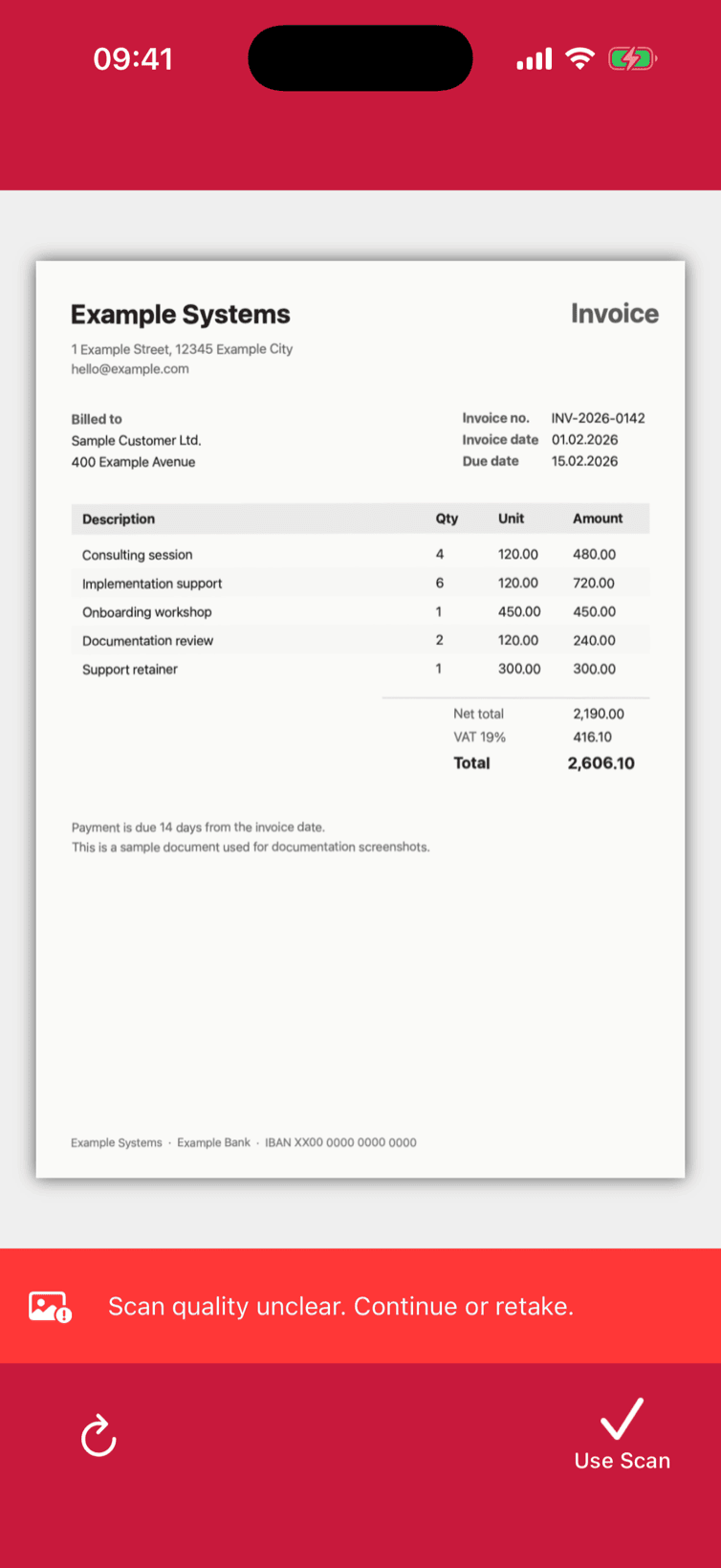
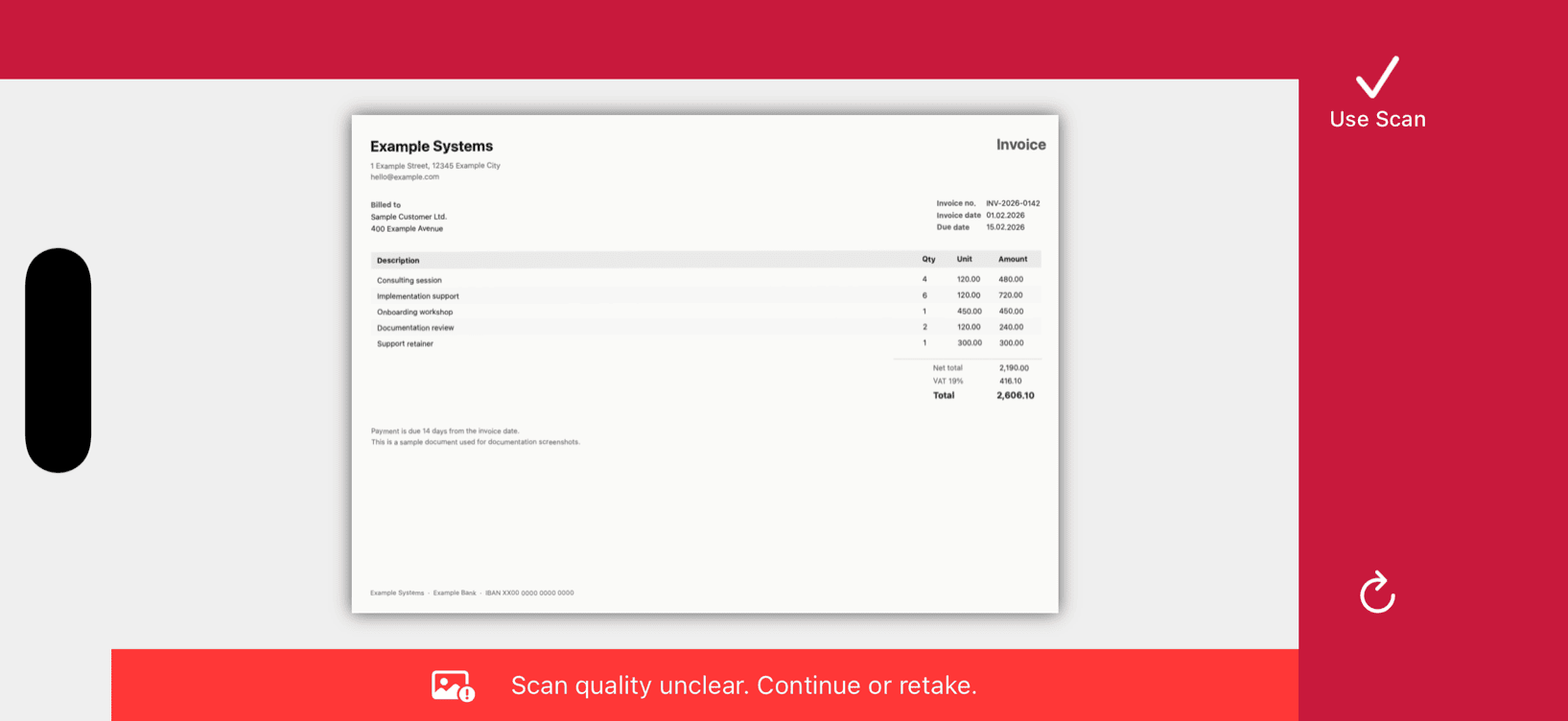
Example configuration of the Acknowledge Screen
- UIKit
- SwiftUI
loading...
loading...
You can learn more about AcknowledgementScreenConfiguration in the SDK's API documentation.
Want to scan longer than one minute?
Generate a free trial license to test the Scanbot SDK thoroughly.
Get free trial licenseScanbot SDK is part of the Apryse SDK product family
A mobile scan is just the start. With Apryse SDKs, you can expand mobile workflows into full cross‑platform document processing. Whether you need to edit PDFs, add secure digital signatures, or use a fast, customizable document viewer and editor, Apryse gives you the tools to build powerful features quickly.
Learn more
