Scanning multiple barcodes with the Custom UI
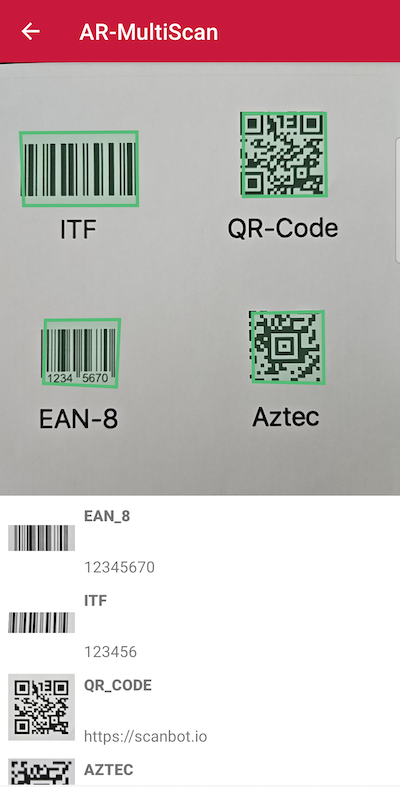
The Multi Scan functionality allows users to hover over multiple barcodes in live view. As a barcode comes into view, it is instantly detected, highlighted with a floating AR overlay, and scanned. This feature is especially useful when users need to scan multiple barcodes quickly and selecting each one manually would be too slow.
For example, in a warehouse setting where an employee needs to scan a variety of items in quick succession, Multi Scan can speed up the process. The worker simply points their device at the products and each barcode is automatically detected and scanned, with the AR Overlay providing visual feedback and confirming successful scans.
loading...
Want to scan longer than one minute?
Generate a free trial license to test the Scanbot SDK thoroughly.
Get free trial licenseScanbot SDK is part of the Apryse SDK product family
A mobile scan is just the start. With Apryse SDKs, you can expand mobile workflows into full cross‑platform document processing. Whether you need to edit PDFs, add secure digital signatures, or use a fast, customizable document viewer and editor, Apryse gives you the tools to build powerful features quickly.
Learn more
